How it works
- Upload — photos or PDFs of your checklist or full POH, plus any relevant supplements.
- Review — see the checklists the generator found, and fix anything that didn't read right. Nothing generates until it looks correct.
- Download — a navigable PDF (light and night), plus native checklist files for ForeFlight (
.fmd) and Garmin (.aceavionics,.gpltGarmin Pilot), all named for your airplane.
Checklist, POH, and supplements (PDF or photos)
No files selected
or
For best results
- One aircraft — but you can upload several files for it at once: the POH plus any relevant supplements or STCs (avionics, autopilot, tip tanks, floats…). They're combined into one unified checklist.
- When a supplement changes a POH procedure, the generator merges them and flags any conflicts for you to check.
- A clear, straight-on photo or a PDF — legible beats complete.
- A checklist or a full POH both work — the generator finds the checklists either way.
What you get
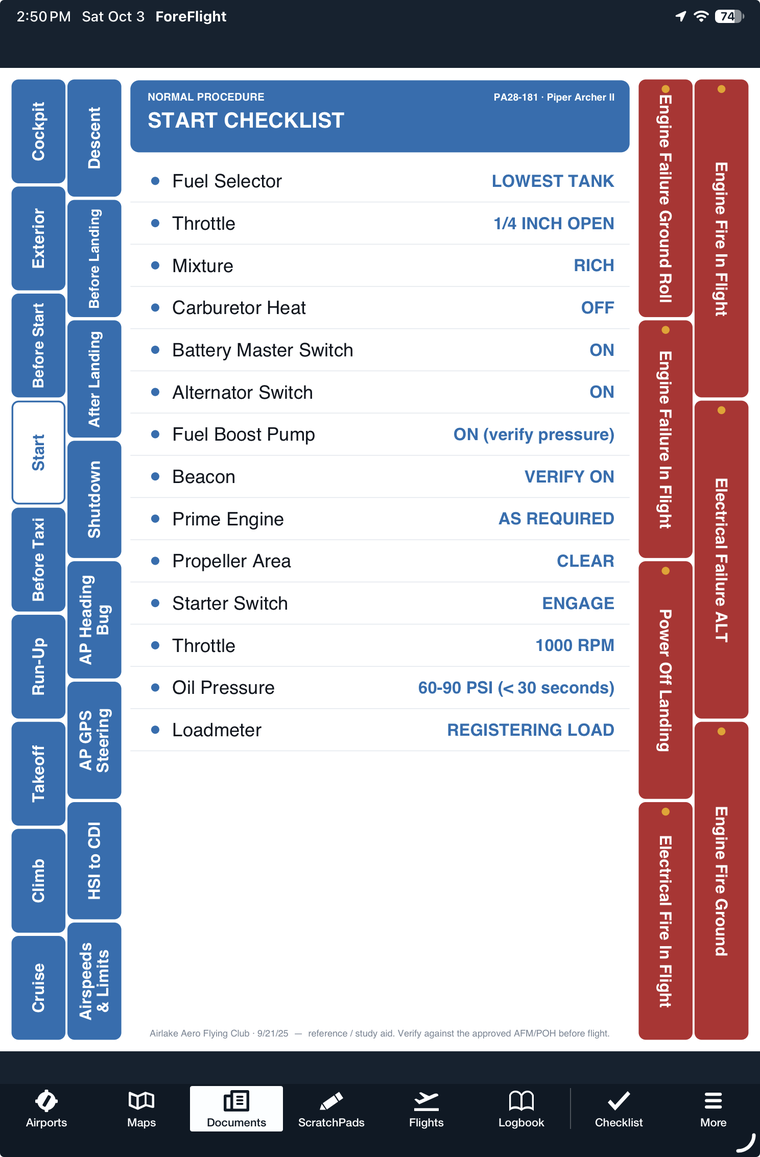
- A navigable PDF — tab rails down both sides jump you to any checklist; drops straight into ForeFlight's Documents, or opens in any PDF reader. In light and a dark (night) version.
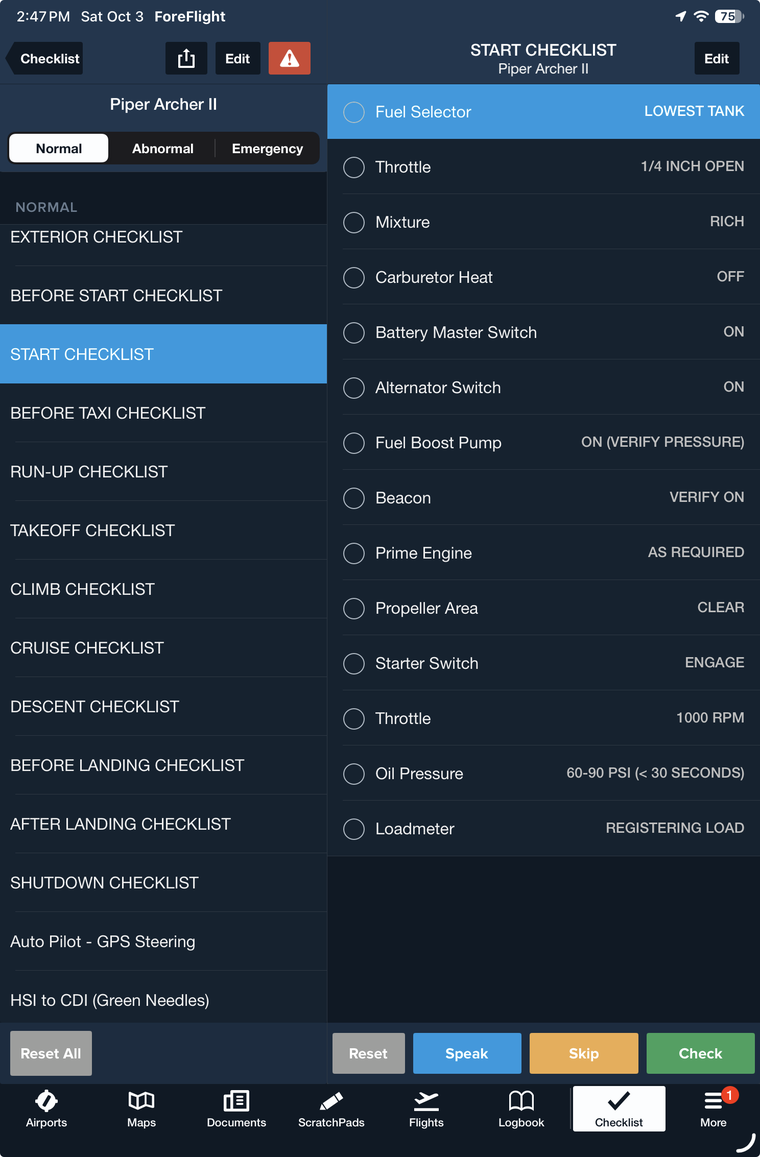
- A ForeFlight
.fmd— imports as a native, tap-to-complete ForeFlight checklist. - A Garmin
.ace— for panel-mounted Garmin avionics (via the Aviation Checklist Editor). - A Garmin Pilot
.gplt— imports into the Garmin Pilot app.